
Your management system inside ChatGPT and Claude
Ask in ChatGPT or Claude and get the answer from your own system: sales, customers and schedule, with secure access and without opening five screens.
7 min read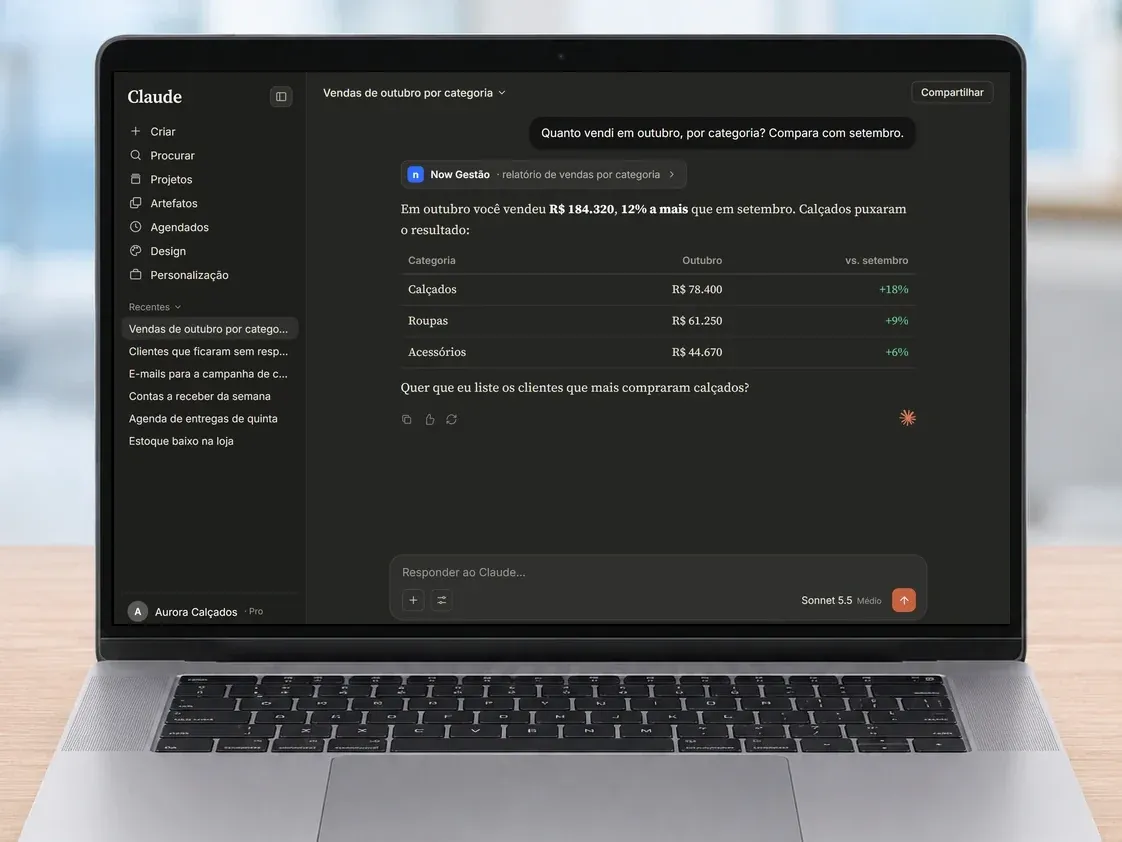
Ask instead of searching
Every business owner knows the routine: to find out how much you sold this month, you open the system, go to the report, pick the dates, export the spreadsheet and build the comparison. To find out which customers asked for a quote and never got a reply, it is three more screens.
Many people already use ChatGPT or Claude every day to write, summarize and think things through. What was missing was for that AI to actually know your company. Now Now Gestão can be connected to it: you ask the way you would ask someone on your team, and the answer comes with the numbers from your own system.
How it works, without the jargon
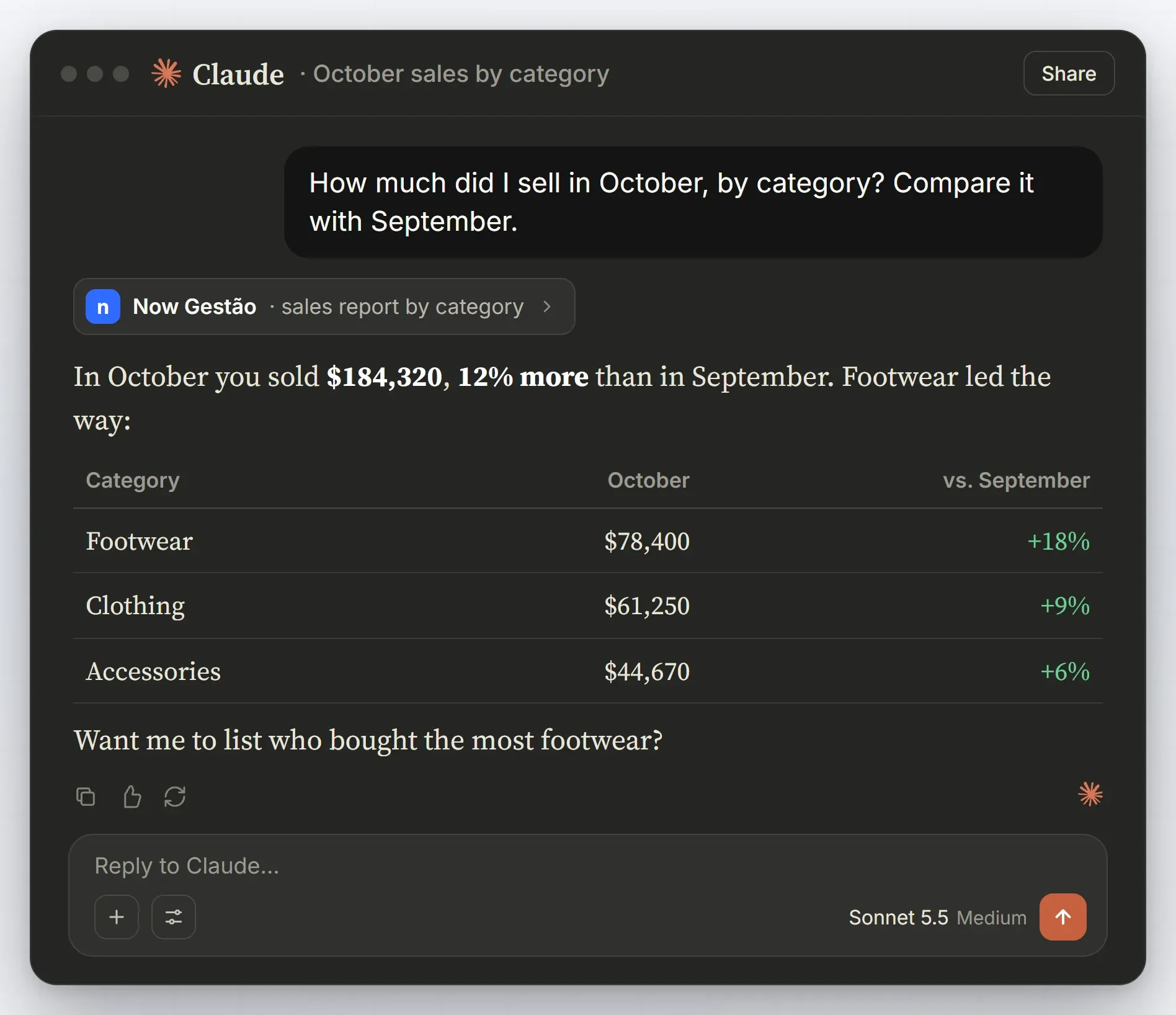
- You ask in ChatGPT or Claude, by typing or by voice. For example: "how much did I sell in October, by category? Compare it with September".
- The AI checks your system. It looks the information up in Now Gestão, only with the permissions you granted.
- It answers with everything ready: the number, the list or the comparison, in seconds.
- And it can do things for you, like writing emails, creating reminders or organizing your schedule. Sending or changing anything only happens after you confirm.
What you can ask day to day
The rule is simple: if the information is in your system, you can ask about it. A few examples that work well:
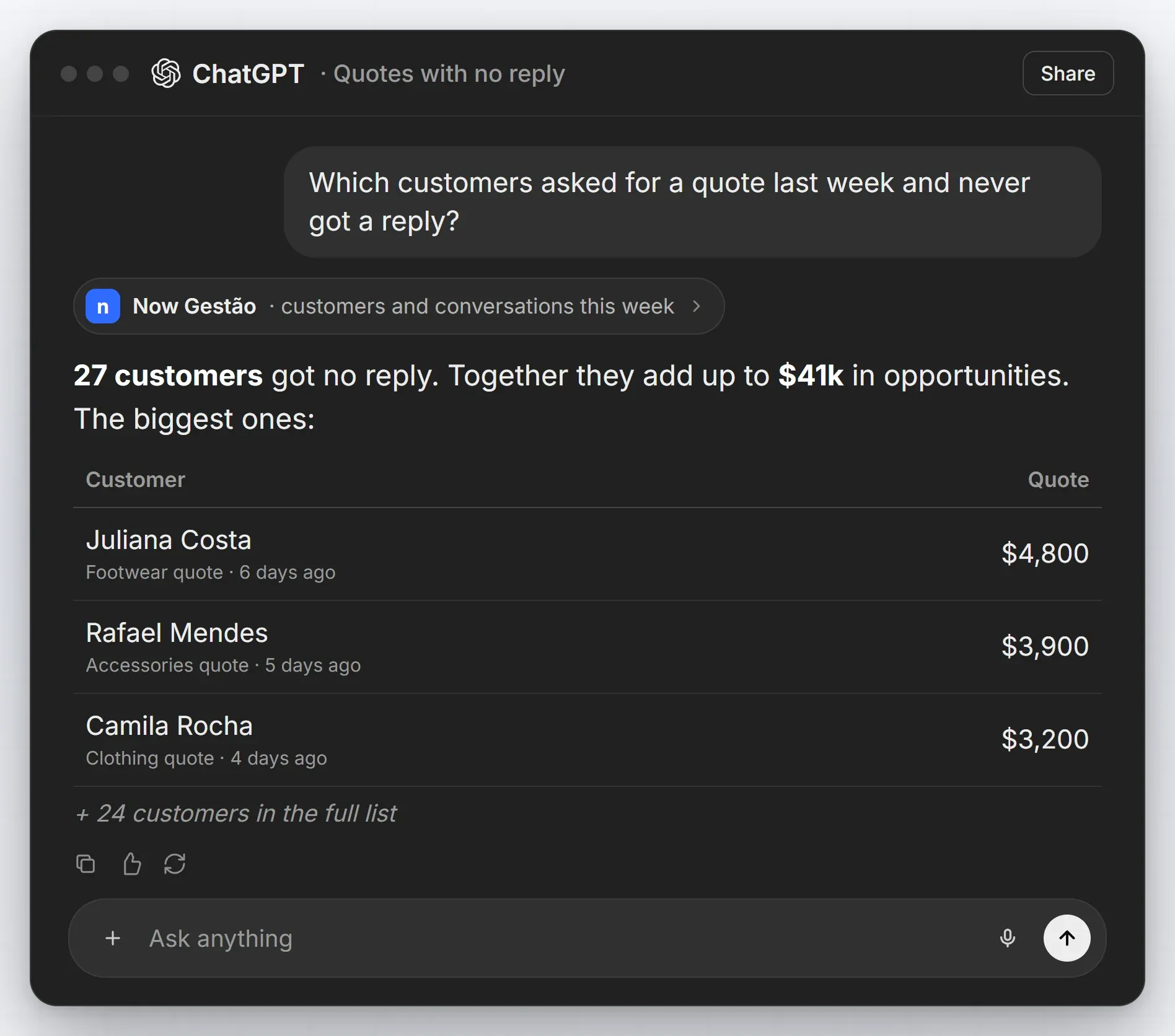
- Sell more: "which customers haven't bought in 60 days?", "which quotes are stalled?"
- Manage better: "who is behind on payments?", "how is cash flow this month?", "which product sold the most?"
- Save time: "what's on my schedule today?", "remind me to call Juliana tomorrow", "send the weekly summary to my email".
It is the filter you would ask someone to build in a spreadsheet, delivered right away and explained in plain language.
From data to action, in the same conversation
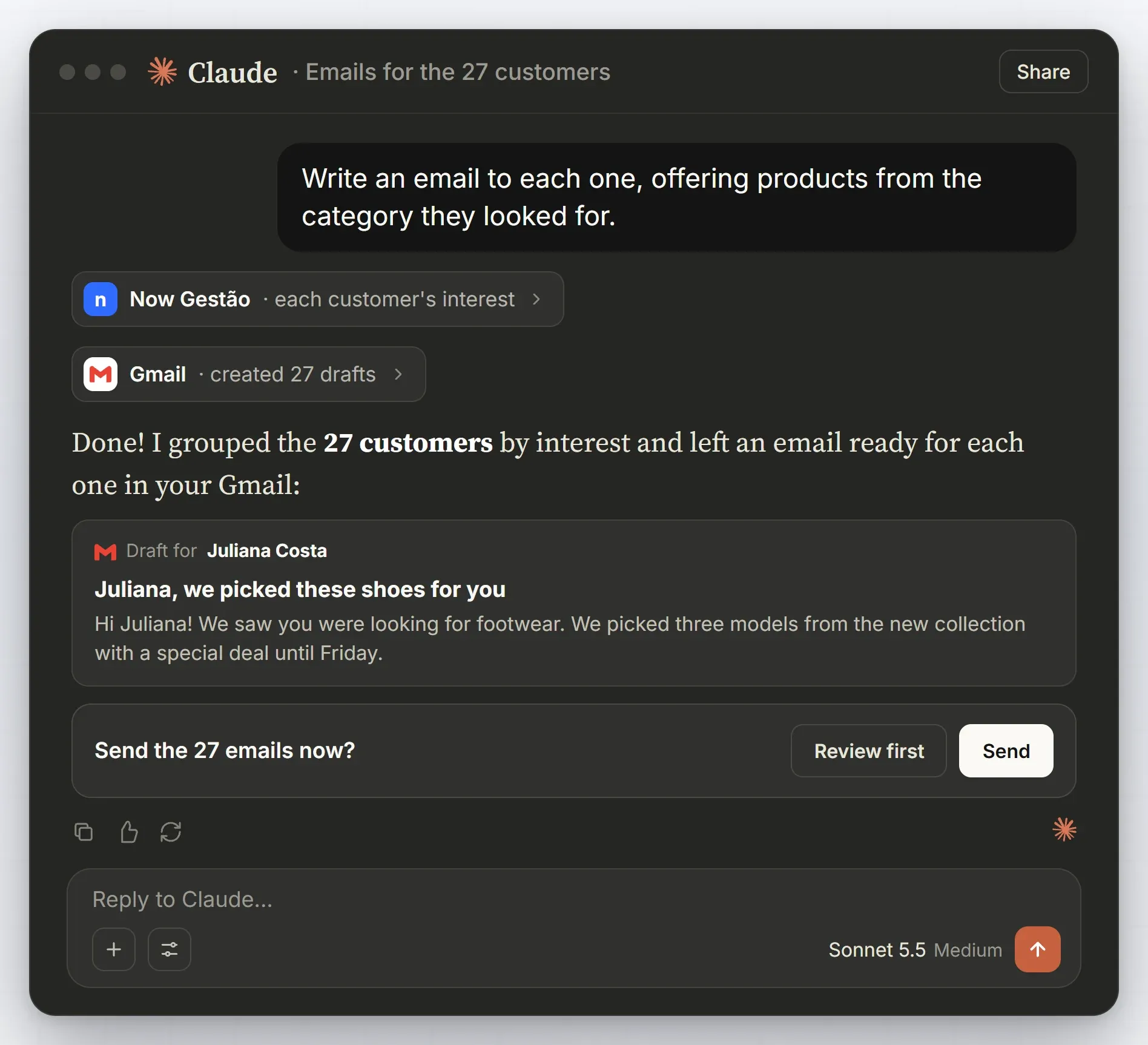
The most useful part starts after the answer. In the same conversation you can ask: "write an email to each one, offering products from the category they looked for". The AI matches each customer's interest in Now Gestão and leaves a draft ready for each one in your Gmail.
Nothing goes out without you seeing it. Before sending, it asks, and you decide whether to send, review first or change the text.
Secure access: the AI only sees what you allow
Connecting AI to your company's system does not mean opening everything up. Each person connects with their own Now Gestão login, and the AI only sees what that person could already see in the system. You choose which tools are available: checking sales, reading customers, creating reminders, and so on.
Actions that change something (sending a message, editing a record) always ask for confirmation. And you can disconnect whenever you want.
What you need to get started
- Use ChatGPT or Claude on a paid plan, which many companies already have.
- Connect your system once, signing in with your Now Gestão login.
- Ask and decide. The AI brings the information and prepares the action; sending or changing anything is still up to you.
No software to install, no spreadsheet to export and no new tool to train your team on: the conversation is the same one you already have with the AI.
What if my company uses another system?
If your system was built by Now, we build this same connection for it. If you don't have a management system yet, we create yours already connected to AI, shaped around how your operation works. See how we work with custom software and AI agents, or talk to our team.
For those who like the technical name: this connection uses MCP (Model Context Protocol), the open standard for connecting systems to AI securely.
Frequently asked questions
Frequently asked questions
Answers to what people usually ask before trying this.
Does it work with free ChatGPT?
Connecting to external systems is part of the paid plans of ChatGPT and Claude. Many companies already have one of these plans for their team.
Can the AI change data in my system on its own?
No. Looking things up is allowed within the permissions of whoever connected; sending, creating or changing anything always asks for your confirmation first.
Does everyone on the team see everything?
No. Each person connects with their own Now Gestão login and the AI only sees what that person could already see in the system.
Can I do this with a system other than Now Gestão?
If the system was built by Now, yes: we build the connection. For other cases, talk to our team and we will look at your scenario.
No question found for that term. Try another word — or talk to our team.
Not every question fits in a list. Reach out to our team and we'll answer directly.
Talk to our team